iOS · Android · React Native · Flutter
Ship your app in
50 languages by tonight.
Upload your
.strings,
.xcstrings,
strings.xml,
.arb
or i18n JSON file. AI translates every line, placeholders locked and terminology consistent, ready to ship in minutes.
- No subscription. Ever.
- Files guaranteed to compile
- 14-day full refund
"welcome_title" = "Welcome back!";
"trial_cta" = "Start your free trial";
"files_count" = "You have %d files ready.";
Placeholders intact · glossary applied · repeat strings free
The problem
Localization is the growth lever you keep putting off.
The ChatGPT copy-paste trap
Paste 900 lines into a chatbot and it translates your %@ and %1$s placeholders too. Now your app crashes in Polish and you’re diffing files at midnight.
The subscription shakedown
Lokalise and Crowdin plans run $50–$999/mo, more than most indie apps make, and Phrase and Smartling will not quote a price without a sales call. You need to translate an app, not adopt an enterprise workflow.
The every-release grind
Change one sentence and it’s export → zip → email → wait → import, for every language, every release. “Exporting from Xcode, sending zips to translators… feels like 2009.”
Most indie apps don’t have a traffic problem. They have a localization problem.
Why bother
Indie developers keep discovering the same thing.
“I localized one app to 12 smaller markets and it 3x’d downloads with almost zero extra work.”
“My app was live for a year. Zero trial starts. I localized it in French. Today: first active trial.”
“English = 50% of App Store revenue. The other 50% = everyone else. I localized with AI. Downloads +40%.”
Public posts from indie developers about localizing their apps.
How it works
From English-only to everywhere in three steps.
-
01
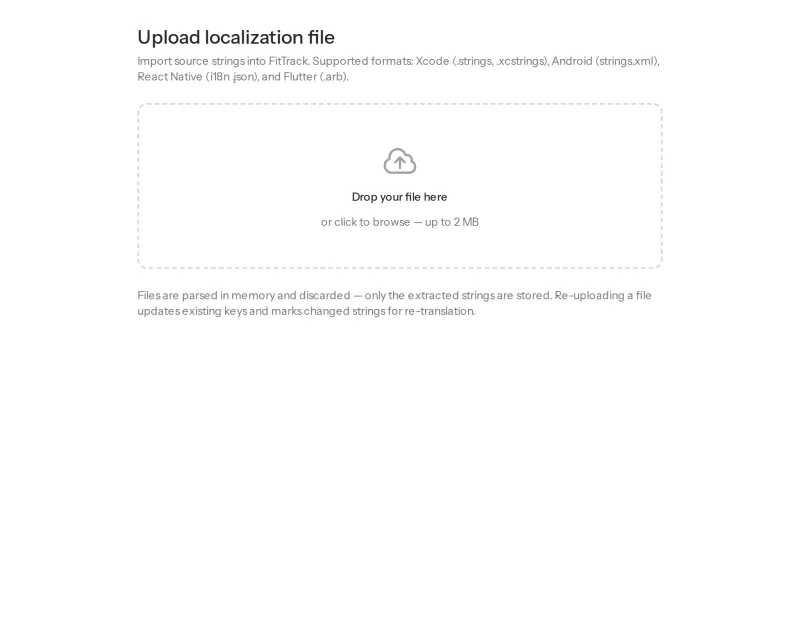
Upload your file
Drop in any localization file from Xcode, Android Studio, Flutter, or React Native. Format, keys, and placeholders are detected automatically, parsed in memory, never stored.
-
02
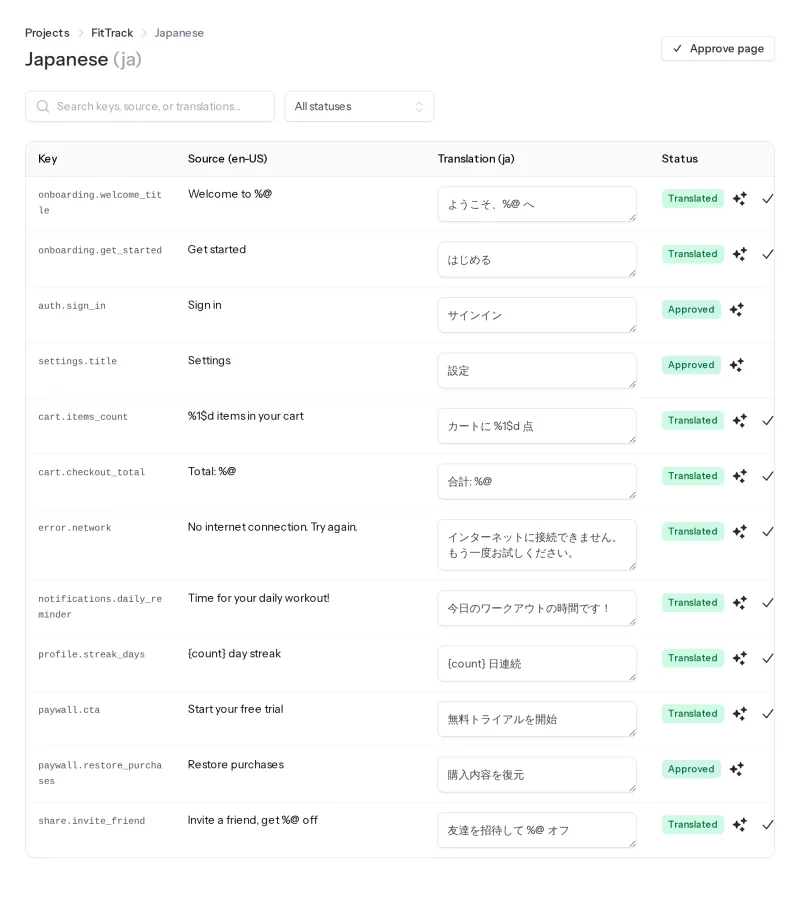
Review side by side
AI translates into all 50 languages at once, or just the markets you pick. Your glossary keeps product terms consistent, translation memory reuses what you’ve already approved, and you can edit any line, source and target side by side.
-
03
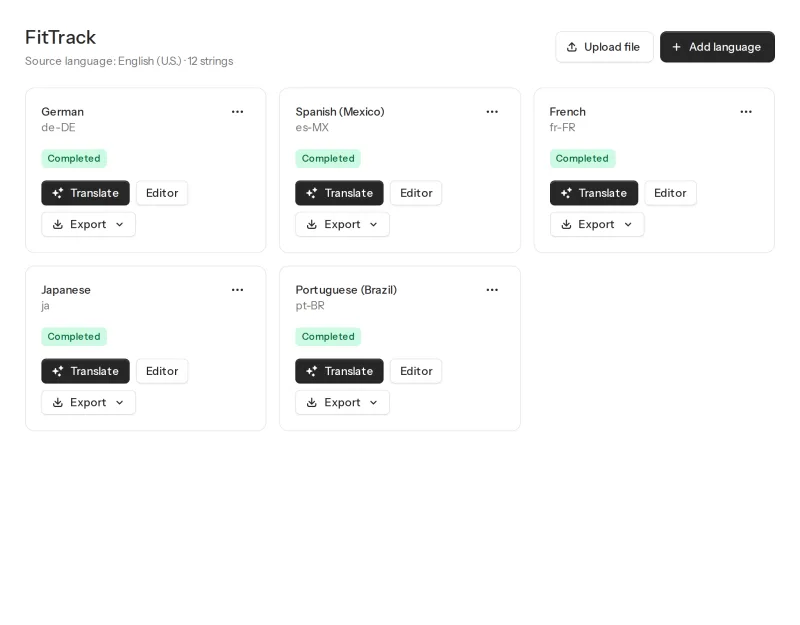
Ship worldwide
Download in any format, the same one you uploaded or a different one. Drop it into your project and submit. New markets, zero ad spend.
The outcome
What happens when your app speaks their language
Your App
App Store · now available in
34,120
downloads this month after localizing
Illustrative example. Your numbers depend on your app and markets.
7 of 10
top App Store markets are non-English-speaking.
3×
downloads reported after localizing one app for 12 smaller markets. @kedytcom
+88%
downloads after localizing store metadata into 46 languages. @PaulSolt
17×
downloads in Japan after Boom Beach localized. Distimo case study
Results vary by app and market. The biggest wins come from high-ARPU, low-English markets like Japan, Korea, Germany, and Brazil.
The math
Same app. 50 ways to get paid.
What a typical indie release can look like once the rest of the world can actually read it.
Proceeds
$1,190
This month, 12 months after localizing · illustrative +183%
- English markets
- New localized markets
Illustrative numbers. The shape is based on what indie developers report publicly after localizing (3× downloads, 2× revenue, new top markets). Your curve depends on your app and the markets you pick.
Try it, no account needed
Your whole localization workflow, in one tab.
This is a sandbox: pick a sample file
Each one holds the same 12 strings from a fictional fitness app.
· 12 strings found
Add target languages
Pick up to 3 in the demo. The real thing offers all App Store Connect languages.
12 strings × languages − translation-memory hits = credits
Select at least one language.
| Key | Source (en) | Status | |
|---|---|---|---|
| TM · 0 credits Translated |
- Translated newly translated by AI, 1 credit each
- TM · 0 credits translation memory, reused from a past release, free
- %@ placeholder, kept exactly as in your code
Balance: credits · translation memory saved you credits
Your files are ready.
Create an account to download your files and translate your own. Packs from $9, no subscription.

Dan @dvailur
Indie developer · builds Localize Your App
Hi, I’m Dan. Localization was the release chore I kept postponing: pasting files into chatbots, fixing broken placeholders, redoing all of it the next release. I built Localize Your App so shipping in every language takes minutes, costs a few dollars, and never turns into a subscription. It’s the tool I wanted for my own apps.
Features
Everything you need. Nothing you have to babysit.
Any file in, any file out
.strings, .xcstrings, strings.xml, .arb, i18n JSON. Upload one format, export another. No lock-in, ever.
Placeholder protection
%@, %1$s, and {count} are detected and locked before translation. Files come back compiling, not crashing.
50 App Store languages
Every language your users browse the App Store in, translated in one pass, not one at a time.
Side-by-side editor
Review and polish any line without touching Xcode or Android Studio. You always have the final word.
Translation memory
Strings you’ve approved translate free and instantly next release. Change one sentence, pay for one sentence.
Glossary
Lock your product terms so “Workspace” never becomes “Espacio” on one screen and “Área” on another.
Pricing
Pay once. Translate. That’s it.
Localization isn’t a monthly habit, so why is every tool a subscription? Buy credits when you need them. They never expire.
1 credit translates 1 string (up to 500 characters) into 1 language. Translation memory hits are free.
Starter
$9 one-time
8,000 credits
≈ $0.0011 per string per language
≈ your whole 200-string app in all 50 languages
- A whole 200-string app in all 50 languages
- All 50 languages available
- Translation memory & glossary
- Export any format
Indie
$25 one-time
40,000 credits
≈ $0.0006 per string per language
≈ 5 apps — or one big app plus years of updates
- ≈ 5 apps’ worth of credits
- Big apps (500+ strings) covered
- Translation memory & glossary
- Export any format
Studio
$45 one-time
150,000 credits
≈ $0.0003 per string per language
≈ 20 apps: every app you’ll ever ship
- ≈ 20 apps — your whole portfolio
- 3.75× the credits for $20 more
- Translation memory & glossary
- Export any format
If your files don’t compile or you’re not happy within 14 days, full refund. No questions.
One-time payment · No subscription · No seats · Credits never expire.
FAQ
Questions indie developers ask.
How do I translate my iOS .strings file?
Upload your Localizable.strings file: keys and placeholders like %@ are detected automatically. AI translates into all 50 App Store languages in minutes, and you download ready-to-import .strings files for Xcode. Learn more →
Does it support Xcode String Catalogs (.xcstrings)?
Yes, natively, including plural variants. You can also upload a legacy .strings file and export a modern .xcstrings catalog to migrate. Learn more →
How do I translate strings.xml into multiple languages?
Upload your Android strings.xml once and download a complete set of values-xx/strings.xml files for every language, with plurals and format arguments like %1$s kept intact. Learn more →
How do I translate Flutter .arb files?
Upload app_en.arb: ICU placeholders and plural rules are preserved, and you get one .arb per language, ready to drop into lib/l10n. Learn more →
How do I localize a React Native app?
Export your i18next or react-intl JSON, upload it, and download translated JSON with the exact same nested key structure for every language. Learn more →
Should I localize my App Store listing too?
Yes. Localized store metadata is often the highest-ROI first step, because it drives discovery in local search. Localizing the app itself is what makes those new visitors stick around. Learn more →
Does localizing an app actually increase downloads?
Indie developers publicly report 3× downloads after localizing for smaller markets, +40% from AI localization, and +88% after localizing store metadata, with the biggest wins in high-ARPU, low-English markets. Learn more →
How much does app localization cost?
Agencies charge ~$0.10+ per word per language; subscription platforms start at $50/mo. With one-time credits, a 200-string app in all 50 languages is $9 once, and even a 500-string app is only $25. Learn more →
Is AI translation good enough for my app?
For UI strings backed by a glossary, translation memory, and side-by-side review: yes, for most languages and apps. For high-stakes copy, polish it in the editor or invite a native speaker before you export. Learn more →
What’s a cheaper alternative to Lokalise or Crowdin for indie developers?
One-time credit packs from $9 replace $50–$999/mo subscriptions, with translation memory, glossary, and side-by-side editing included. Learn more →
What languages do you support?
All 50 App Store Connect localizations: Learn more →
What file formats can I upload?
.strings and .xcstrings (Xcode), strings.xml (Android), i18n JSON (React Native and web), and .arb (Flutter). You can export to any other supported format. Learn more →
What exactly is a credit?
One credit translates one string of up to 500 characters into one language, roomy for UI text, where most strings are under 100 characters. Longer strings count one credit per started 500-character block. Translating 100 strings into 5 languages costs at most 500 credits, or less if translation memory already covers some, because those are free. Learn more →
What happens to my uploaded files?
They are parsed in memory and never stored. Only the extracted keys and translations live in your project. Learn more →
Is Localize Your App legit?
Localize Your App is operated by Pamgoo LLC, and payments are handled by Paddle.com as merchant of record — checkout, invoices, and refunds for unused credits all go through Paddle's buyer protection. Credits are one-time purchases with no subscription to cancel, and uploaded files are parsed in memory, never stored. Learn more →
Have another question? Email us
Your next release ships in 1 language, or 50
Sometimes the growth lever isn’t a new feature. It’s speaking your users’ language.
Your app is done. The translations take minutes. Upload a file and see it in 50 languages before you finish your coffee.
“I localized one app to 12 smaller markets and it 3x’d downloads with almost zero extra work.”
No subscription. Credits never expire.